I wanted to find out from the group if it’s possible to change the styling of the Profile Updated notifications when saving in Webflow.
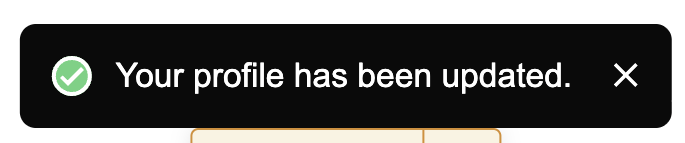

I wanted to find out from the group if it’s possible to change the styling of the Profile Updated notifications when saving in Webflow.
2 comments
Hey Nick Simmons,
While this guide shares the starting point of customizing pre-built modals with CSS, you could further explore using custom CSS to style the notification elements by inspecting that element in the browser to figure out what to target instead of #msOverlay as shared in the guide.
For example, in my personal dummy site settings, I added the following code in the Head section:
This changed the color and I could see the result on the site as shown in the screenshot. You could explore further on which elements you want to customize as per your design requirements. Hope this helps.
We also have a feature for this 🎉 https://docs.memberstack.com/hc/en-us/articles/9951195874587-Custom-Error-Success-Messages
Please sign in to leave a comment.