
I have 74 members whose paid subscriptions were created directly in Stripe and then linked to Memberstack, rather than going through Memberstack checkout. Each school paid by check, so I created the customer and subscription in Stripe with a 100% coupon and invoice collection, then used Set existing Stripe Customer ID followed by Resync with Stripe on each member.
The sync worked. Every one of them shows Growth Studio Membership as Active under Plans.
The problem is that none of them have a team. Under Team Plans they all read "No Team Plans Available," so there is no invite link and no way for them to add their two colleagues. Team Accounts is enabled on the plan, and the price is set to a maximum of 3 seats.
The one account that went through normal Memberstack checkout looks completely different. On that member, Plans is empty and Growth Studio Membership appears under Team Plans with Team Admin and an Edit Team link. Both subscriptions have quantity 1 in Stripe, so quantity does not appear to be the difference.
The only other difference I can see is metadata. The checkout-created subscription has msAppId and msMemberId stamped on it in Stripe. The manually created ones do not.
My questions:
- Is the team object created by Memberstack during checkout, meaning a synced subscription can never become a team plan?
- If it can be converted, is adding the right metadata to the Stripe subscription and resyncing enough, and what keys and values are needed?
- Is there any way to do this in bulk for 74 members, either by me or on your end?
Every one of these schools needs team access. Right now I would have to have all 74 re-purchase through checkout with a 100% discount code, which means cancelling and recreating 74 subscriptions.
1 comment
Conversation continued in slack: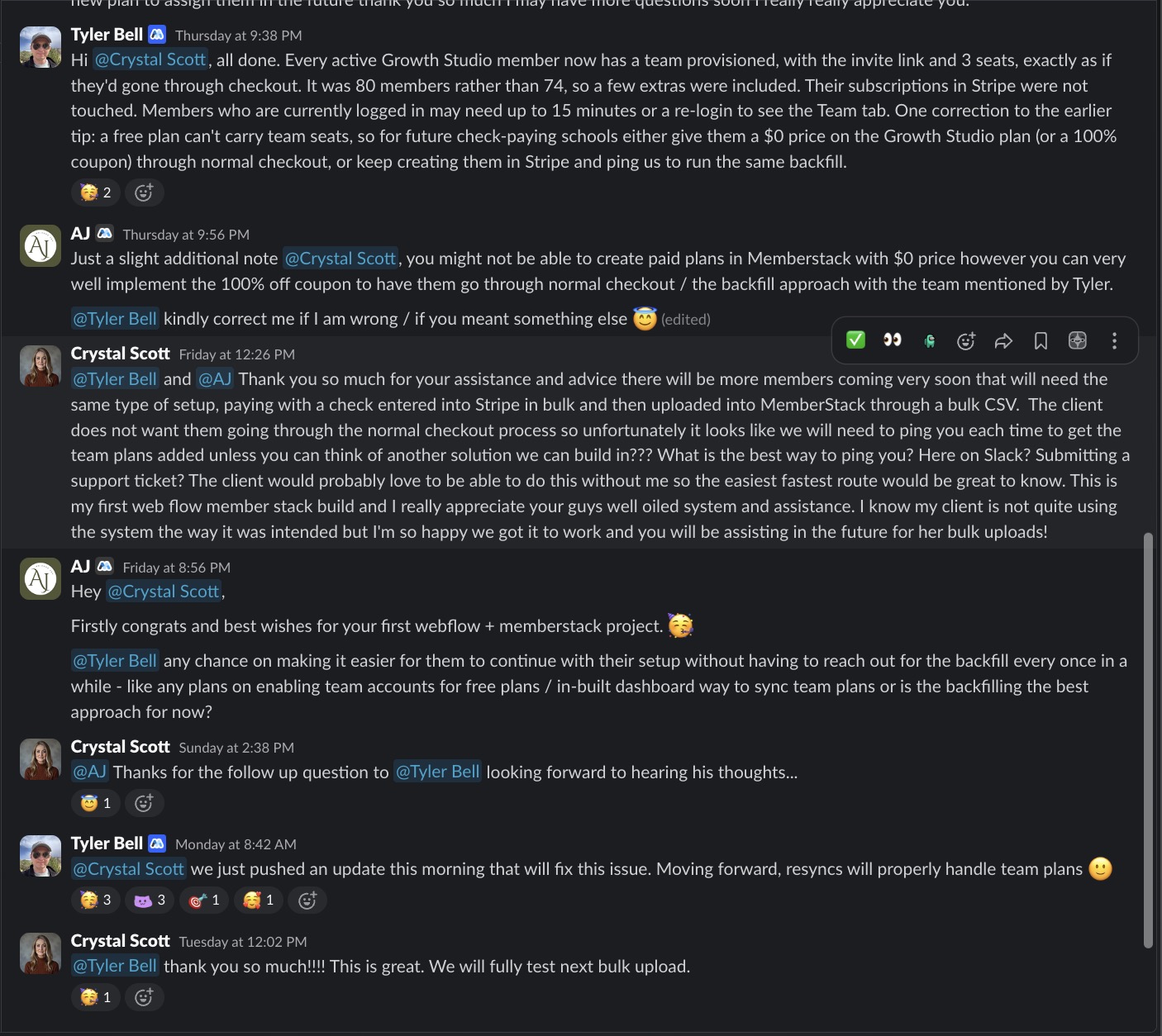
Please sign in to leave a comment.