
I have the main root domain which is glori.io, and i have subdomains for my web app i use my.glori.io for the sales pages I use get.glori.io for the root domain im hosting on it something else so i'm not using it, i want to have the ability of cross domain login, so here is how it goes in get.glori.io they will signup in this domain the only thing is for the user to signup, but in my.glori.io they will be able to login and browse all the hosted content, and btw the live domain on memberstack is my-glori-io, so my question how to do that because in custom domain in memberstack they only allows to connect one subdomain and one root domain so how can I do that.
7 comments
Hey ilyas el megarbi,
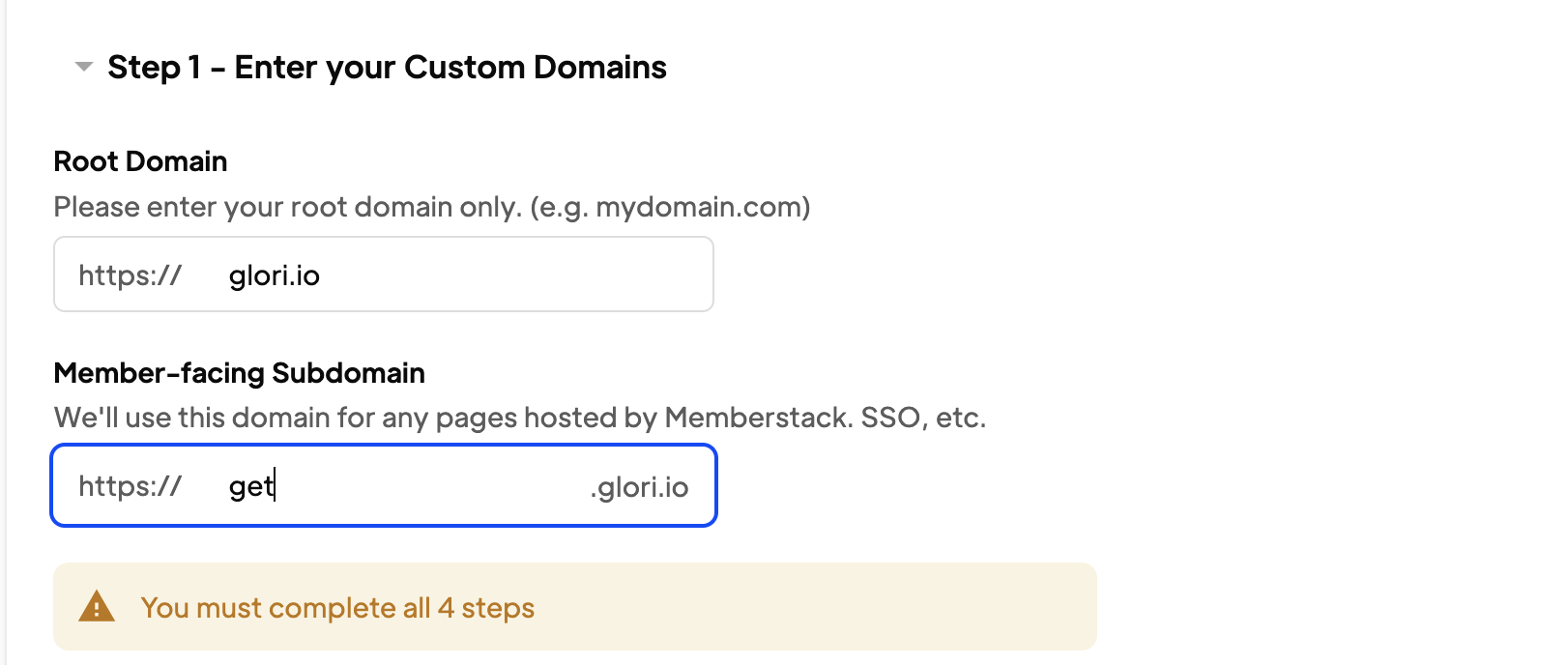
Based on the tutorial the sub-domain needed to enter there does not refer to a list of sub-domains you want to setup the Cross domain login for. Instead, we just need to say what sub-domain do we want to show to the users when they try to login via SSO, by default its auth.memberstack.com, so when we setup a custom domain - in your case glori.io, you can setup the sub-domain to be something like login.glori.io in the member-facing subdomain setting.
And the place where you have to list the root domain and all the sub-domains to enable Cross domain login feature is in the Application domain section (the one above the DNS settings that you are setting up currently) in Memberstack dashboard and then follow along with the guide to finish the setup. Hope this helps.
Hey, I’m running into an issue with my cross-domain login setup.
Here is the link to test it out:
Sign up page: https://get.glori.io/sign-up-dummy
Hey ilyas el megarbi,
Can you ensure that the starting with URLs are mentioned as slugs instead of the entire URL?
i.e. if you want to gate access to https://my.glori.io/dashboard, can you set the rule as starting with rule with just dashboard/
Do this for one URL and save it to test it out, ideally it should work. Same goes for the Access Denied URL, you could specify just access-denied
Let me know if you still face any issue.
It worked thanks a lot
Hey ilyas el megarbi,
Do you also have this script embedded on the page custom code section before the closing body tag?
If yes, and if it still does not work, can you share a read-only link of the site to troubleshoot this?
i didn'T install the script i just did thanks man
Welcome 😇
Please sign in to leave a comment.