
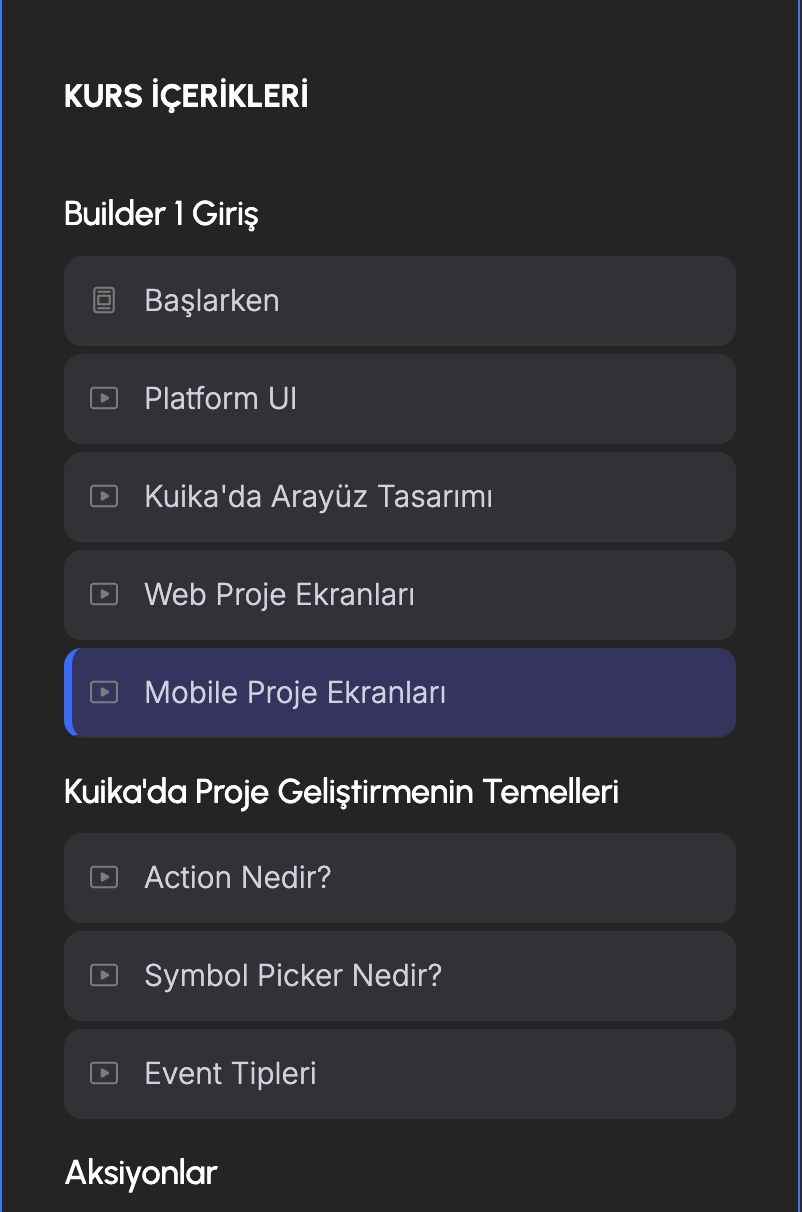
Hello everyone, I have created a structure on the Multi Course page as shown in the attachment. I have two questions.
- First and most importantly, we need to place an icon next to the menu items here and make the icon visible when the user clicks the “Complete Content” button. We also need to keep this visible every time the user enters the page. How can we achieve this? Any comments?
- Second, when a user accesses the course content page, can we allow them to continue from where they left off?
2 comments
Script #185 – Course Progress and Milestone Badge is designed to track course progress with encouraging messages, milestone badges, and real-time completion percentages. This makes it a good fit for your first need: when a user clicks “Complete Content,” you can trigger the progress tracker to update and display a completion icon or badge next to the menu item. Because #185 stores progress data, the icon will remain visible each time the user re-enters the page, giving them a persistent visual indicator of what’s done.
For your second question—continuing from where a user left off—#185 can help partially. It tracks completion percentages and milestones, so you can use that data to redirect users back to the last incomplete section when they return. However, if you want a true “resume from exact point” feature (e.g., auto-scrolling to the last lesson or timestamp), you’d need to extend the script with custom fields or logic to store the user’s last visited item and then load that state when they re-access the course.
Hey İbrahim Özdemir,
The lessons page where the complete content button is likely linked to a custom script on that page's custom code section. The script by default would be adding a class 'yes' to the icons that comes with the template, which does nothing but changes the color of the icons which displays a check mark beside the lesson name.
In case you want to customize this behavior, you could customize that script to show the completed icon and hide the default icon (instead of adding a styling class). You can set the display property of your completed icon none by default and customize the script wherever you find the class 'yes' being added and this should work both when a user selects complete button and should also remain visible the next time the user enters the lessons page.
The second requirement that you shared might be a bit complex to suggest a straight-forward solution as that is not possible via CMS directly (as currently it takes the link of the first lesson mapped in the course collection). To make it unique for each user, you can either create a script to fetch the member JSON and create a logic to check the next lesson that is incomplete and append the slug to the view course button etc. which might be a bit erratic based on how the user interacts with the course lessons. Another approach could be that whenever a user clicks complete button the slug of the next lesson is stored in a custom field and that field is linked to the view course button via a memberscript and customize it to include your base URL with the slug that comes from the custom field.
You can ask Rey to help you out in customizing the script for your use-case as well.
The approaches you take will require some tinkering around to customize for your project specifically, but you can explore them and see what fits. Hope this gives you some idea.
Please sign in to leave a comment.