
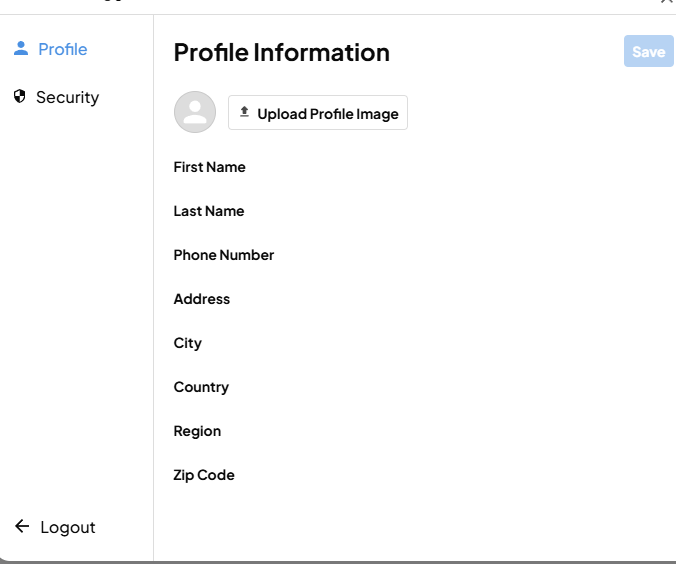
Hi! I'm having an issue where the default member update modal sometimes doesn't show the fields to update info. Is this something wrong on my end or is it some sort of bug? It sometime works, other times doesn't 🤷♂️
^^^^ Those custom fields are not blank in the database.
website URL: https://www.freetimely.com/ You have to create an account first.
4 comments
Daniel Haas, it seems there is a custom styling as follows to hide the input fields on the homepage:
input{display:none;}Can you check if there is this line of code in the homepage custom code settings or in any code embed?
If yes, you can remove it and test the site out.
Note: This fix also should be done for 'My Saves' page, but since the other pages don't have this styling enabled, you can see the Profile modal show the custom fields data on pages like 'About' and 'My Searches'.
Hope this helps. In case, you still face issues, you can share a preview link of the site to figure out the issue.
Hi A J Thanks for the response. I have hidden fields being passed on the homepage, which could be it?? I also have a save button which hides a checkbox. The code for both of those are below.
hidden fields:
And the save button is here:
CSS is here:
I think I may see it: in the css block for the save button input is set to display none in order to hide the default checkbox. Is there a workaround for this?
Daniel Haas, yes I can see it in the save button related styling.
And a better way to do this would be to have a class for checkbox that you want to be hidden and refer that class to have the property 'display:none' via CSS, that way even in future if you add any input fields you won't face this issue of it being hidden.
Hope this helps.
Thanks, A J!
Please sign in to leave a comment.