Hey team
I'm looking to enable signing up to our platform via Google Auth
This is where our sign up form is https://sports.artofmondays.com/signup
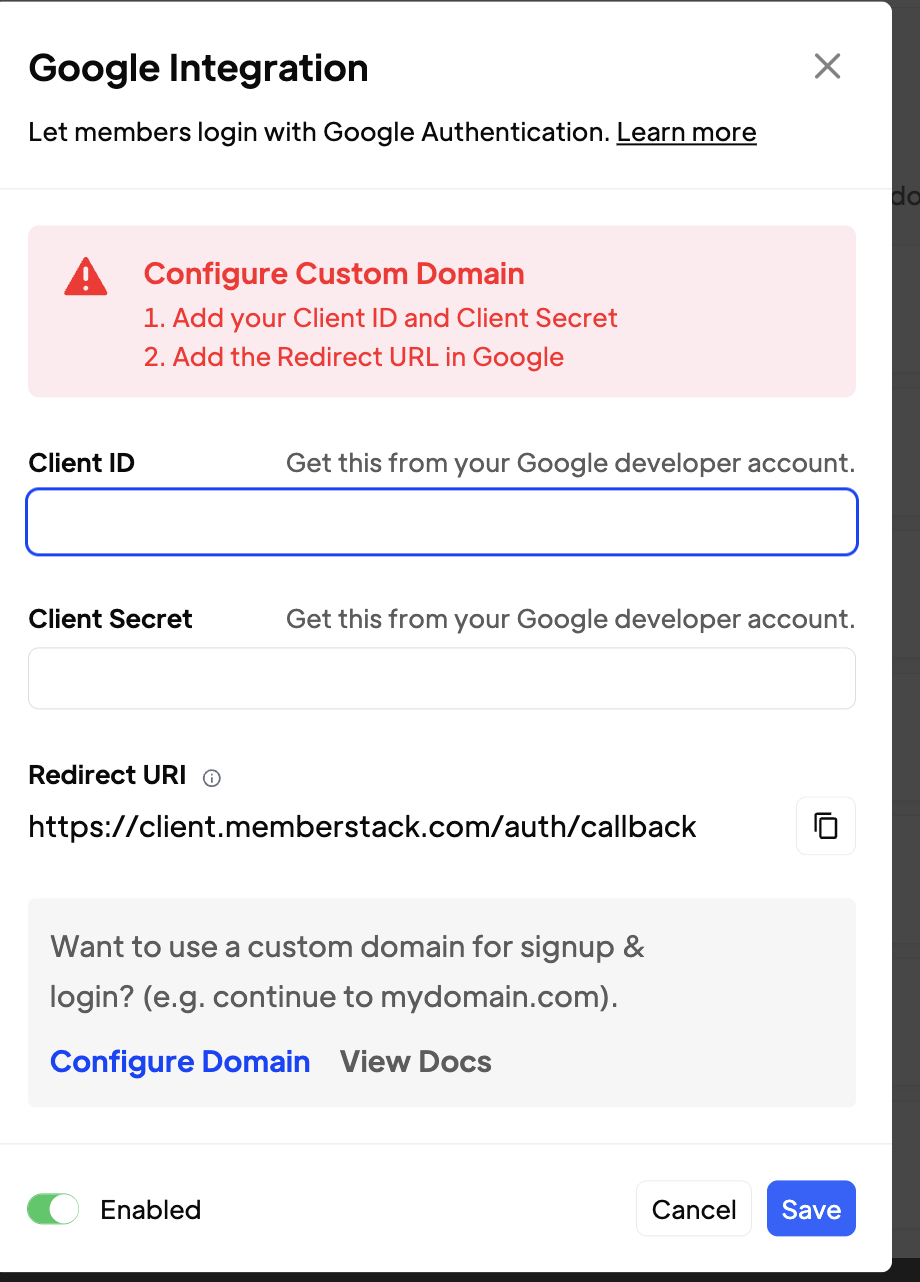
Do I need to go down the 'Custom Domain' route in the setup? or not

Hey team
I'm looking to enable signing up to our platform via Google Auth
This is where our sign up form is https://sports.artofmondays.com/signup
Do I need to go down the 'Custom Domain' route in the setup? or not
8 comments
It is not required to setup the custom domain for the Google Auth to work. But if you set it up later on, you need to reconfigure some things in the Google console
thanks for the reply!
when should I do it?
what does it help with?
Raquel Lopez I've set this up (without the custom domai) and it seems to be working
I can login with my email mo2asgari@gmail.com using the normal login fields no problem.
but when I try to use Google Auth button it gives me an error saying User not found.
What am I missing here?
the username (mo2asgari@gamil.com) is the same as the email I'm using when logging in with Google
I've removed the google button for now as it wasn't working
also copy pasting the component on this page
https://www.memberstack.com/webflow/continue-with-google
messes up the form as the button has really strange dimensions
are there any instructions on how to edit the size/dimensions of this component so it fits inside our form?
The class .white-card has a min-height of 400px that is breaking the original design of the button
It looks like your custom domain isn’t fully configured yet. That’s why when using Google login, it’s redirecting to memberstack.com instead of your custom auth subdomain. Once your domain is properly set up, users will see your domain in the login prompt (e.g. “Log in to yoursite.com”), which improves trust and consistency.
https://docs.memberstack.com/hc/en-us/articles/15793943107995-DNS-Settings-Custom-Domains
Also, just a heads-up: Google login only works if the member originally signed up with Google, or if they’ve connected their Google account in their profile settings. If that’s not the case, they’ll get an “Account Not Found” error.
To fix this:
https://docs.memberstack.com/hc/en-us/community/posts/27388696048667-How-to-solve-the-A[…]t-Found-error-in-Memberstack-s-Google-OAuth-implementation
Raquel Lopez thanks for this.
so the members that have previously signed up without Google, won't be able to login via Google, correct? (unless they manually connect their Google account in their profile settings?)
Mo Asgari, yes that's right, such users will have to give permission to connect to their social auth accounts. Linking a guide on social auth buttons in profile forms here, for reference.
okay cool thanks guys A J Raquel Lopez
one more question
If I was to configure this so that it can be used for signing up (not just logging in)
How would that look?
Our current standard webflow signup form has a lot of custom questions
(like what's your instagram handle, what's your revenue etc)
If I was to add the signup option via Google Auth what would the workflow be?
Would they authorise via google, have the basic info like name email etc prefilled on our webflow form - then allowing them to resume and fill out the other custom questions manually?
Grateful for your quick responses guys it goes a long way.
Mo Asgari, via social auth signup members are created with the specific email ID. So you could probably setup an onboarding form which can get users info and update it to the custom fields accordingly. Here's how to set a profile form for users (you can also ask such users to set a password additionally if you want, usually people like to offer both social auth and password login options for users).
You can set the logic such that if a user has not filled certain required fields (or abandoned onboarding) they are redirected to the onboarding form page whenever they login. Here's a guide to set that logic up.
thanks guys!
Please sign in to leave a comment.