
Hi Memberstack team 👋
I'm currently using Memberstack in my project, but I noticed that just including your default script:
<script async data-memberstack-app="..." src="
https://static.memberstack.com/scripts/v1/memberstack.js"></script>
automatically injects a CSS block that loads this font:
@import url("
https://fonts.bunny.net/css2?family=Plus+Jakarta+Sans:...");
It also applies the font to elements like
.ms-modal, #msOverlay, and .ms-form.
Even though I don’t use any of these elements, the font is still fetched from Bunny Fonts, which is slowing down my page load — adding over 2.5 seconds to LCP due to the font chain.
Is there a way to stop Memberstack from injecting that font and CSS if I’m not using any of its UI components yet?
Ideally, I’d like to keep the script loaded but avoid unnecessary CSS/fonts that affect performance.
Thanks in advance!
2 comments
Since the script is injecting this CSS, I doubt there is a way to prevent it from loading and I was not able to find any guide / setting currently which would enable us to pick whether we attach the fonts or not when we install Memberstack. You could create a wishlist explaining your requirements and how it would help your project to receive any updates on it.
That being said, here's a video showcasing quick wins to load the site faster. I am guessing, you already might have implemented those, but linking it just in case if it helps in other ways.
LCP stands for Largest Contentful Paint, which measures how long it takes for the largest visible element on a page — usually an image, video, or block of text — to appear.
According to the documentation, fonts are not counted as part of LCP because they’re considered non-blocking. That means the text renders right away using a fallback font, and the custom font is applied once it finishes loading — without delaying the initial render.
It’s also normal for Memberstack (the whole frontend package) to take up to a couple of seconds to load and execute. That time is needed to verify the user’s login state and hide or reveal gated content accordingly. This ensures that private or member-only content is protected right from the start.
Another thing to keep in mind: LCP can be affected by more than just your page content. It also includes things like the time it takes to leave the previous page, set up a connection, or receive the first server response (also known as Time to First Byte). These delays can stack up in real-world usage and make your LCP score look worse — even if your page is actually working just fine.
For example, if someone clicks a link to your site from another page that’s still wrapping up background tasks, or their connection slows while loading assets, that extra time still gets counted toward your LCP.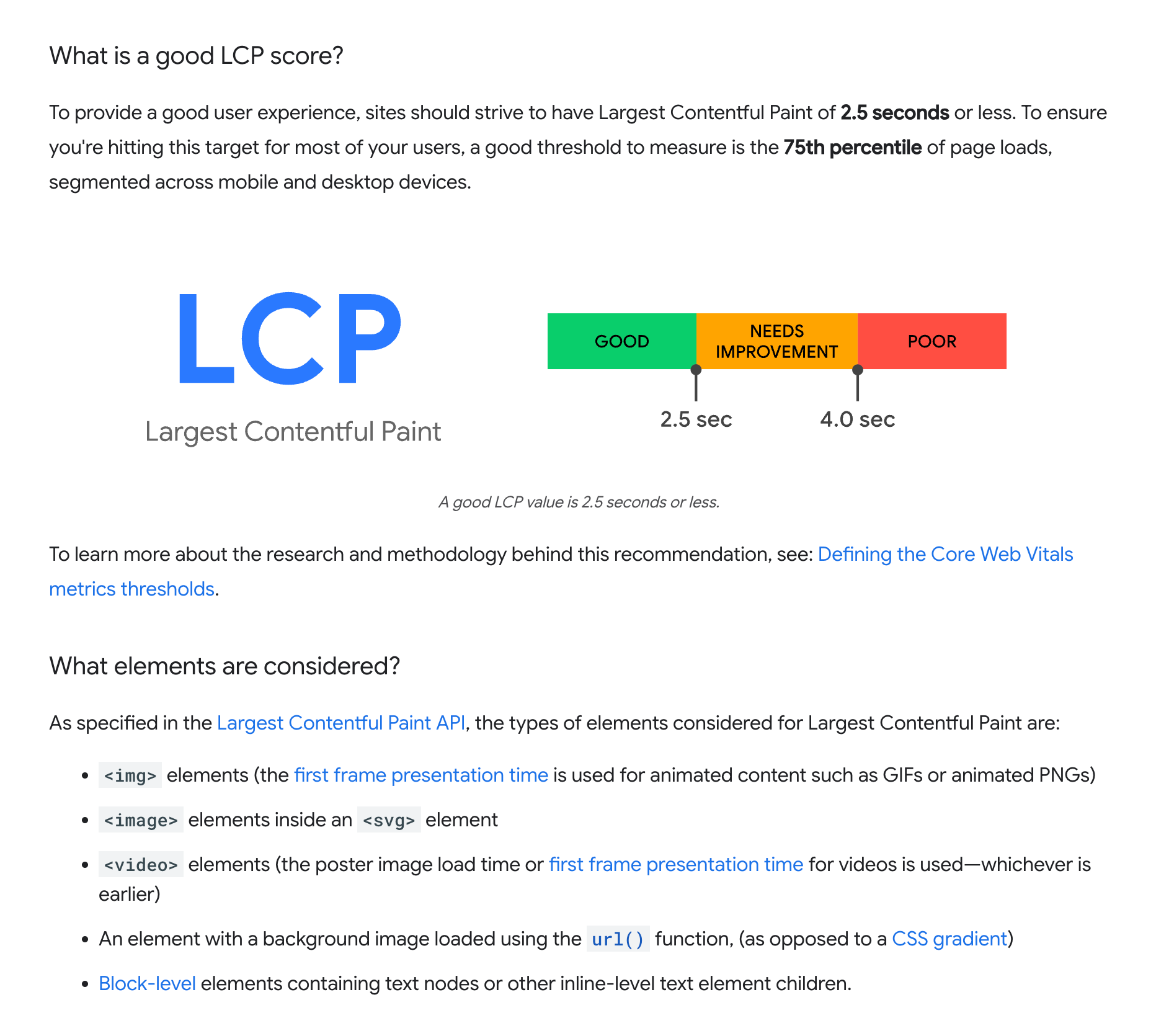
Please sign in to leave a comment.