
Currently it's not possible to delete a redirect on a plan, I think this is a bug? Rey seems to reckon so.
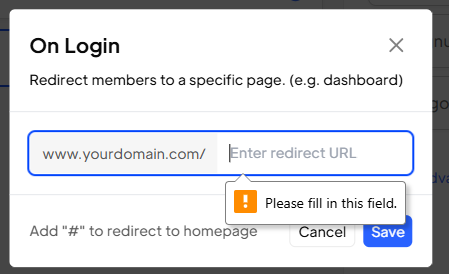
I tried inputting '/' and save it. And by adding a hash (#) to it. When adding that symbol to the url as it won't trigger any redirect. Adding /# or # to the On Login redirect on the plan. That just causes the login to redirect to the Home page.
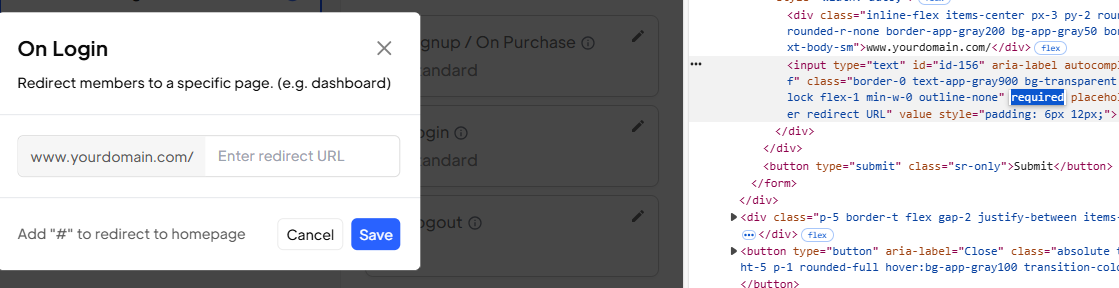
Unfortunately neither of those worked, but I found another workarond by inspecting the input field in Dev Tools and deleting the "required" value, that allowed me to save it with no val :)
5 comments
our team is looking into this
Hey so I can see I can now delete anything from a redirect field, however if I have it blank, then on a login action it redirects to a /undefined 404 page? Is this expected? I just want the user to stay on the same page after completing the login modal. My default plan login redirect is empty, and also empty on the particular plan the logging in user. To verify it isn't anything in the page itself, I have tested this using a fresh blank page with just a link and data-ms-modal=login set, and it still redirects to the /undefined page. At the Site level the only script I have is the Memberstack script. Keen to get this working so I can make the site live :)
I've also tested with a freshly created plan with nothing configured in redirects and get the same issue.
Nick Osborn, can you check a couple of things just to be sure.
Yep sure - I'm actually just launching the built-in login modal using data-ms-modal=login. I've tested launching this from a new empty page with just a text link on it, to make sure nothing in an existing page was messing with it. Email verification isn't currently enabled. Just to re-cap, this is the redirect after a successful login via the built-in data-ms-modal=login login modal.
Nick Osborn, got it. In the meantime, while the team works on a solution, you can apply this attribute to keep users on the same page after login.
Please sign in to leave a comment.