Hi anyone having this issue? 'prisma.member.create()' error
The url where the issue is https://agent.boldrm.com/dev/step-3
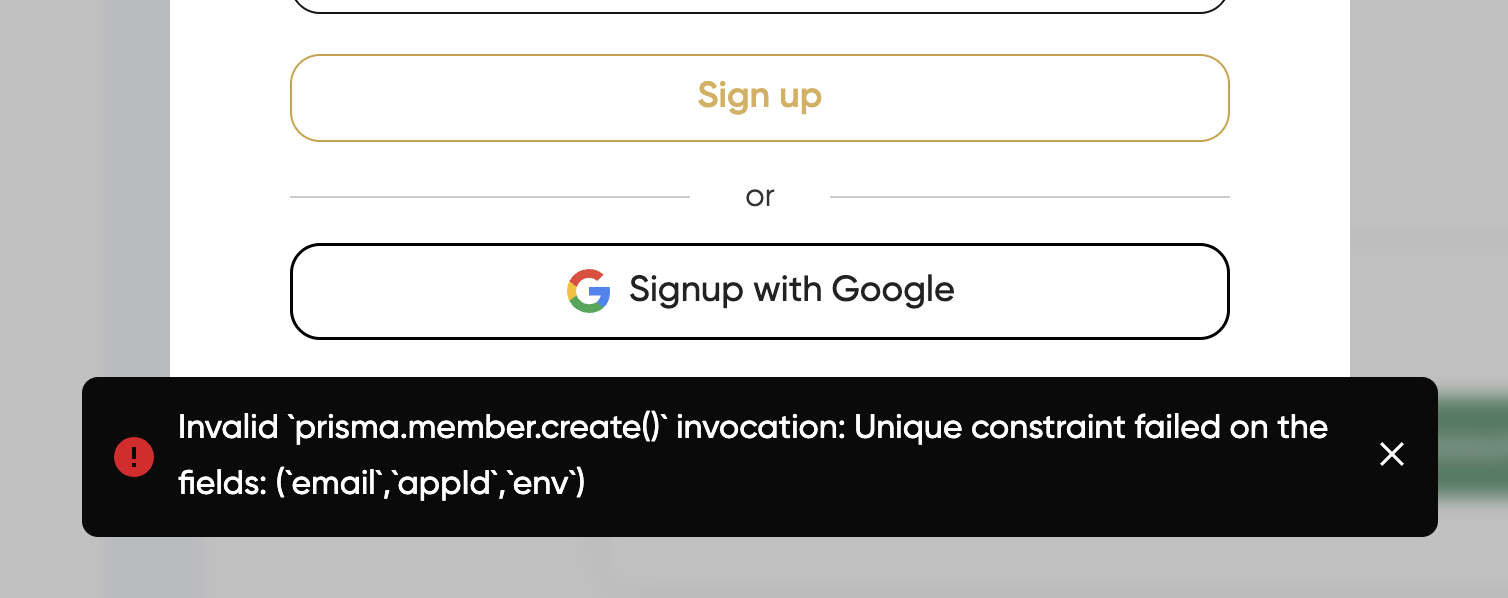

Hi anyone having this issue? 'prisma.member.create()' error
The url where the issue is https://agent.boldrm.com/dev/step-3
7 comments
Are you using Memberstack v1 or v2? I see that you have v2 script and v1 script in your <head>, was it on purpose? 🤔 that could cause some conflicts in your app
Yes, I commented it because I reverted it back to V1. But even when I uncomment it I'm still getting the error, I have 2 signup forms, the link that I just gave and the main one (https://agent.boldrm.com/signup-v2)
The main one is functioning just fine, but the first link I gave you is not.
Matthew Rufino, I seem to be able to sign up from both those links from my end. Did you make any changes in the meantime?
As AJ mentioned, the link to /signup-v2 was working, but it was still using the older version (v1) behind the scenes.
I had to go into my browser’s developer tools and manually remove everything related to v1, and make sure only the v2 library was being used.
After that, I was able to sign up successfully using the form that was already there automatically pointing to the v2 version. (No errors reported) It redirected me to /dashboard/{my member id}, but that page doesn’t exist yet... just something to keep in mind.
Also, on other pages, the old v1 library is still active. Since the new member account isn’t registered in v1, it looks like I’m not logged in. So remember: v1 and v2 libraries shouldn’t be active at the same time.
Since you’re using Webflow, you can test everything properly by publishing to your webflow.io domain before switching over to v2 for the whole site.
I'm aware that V1 and and V2 shouldn't be active at the same time, I am in process of migrating from v1 to v2. I'm going to remove the V1 for 2-3 hours so V2 would be active then you can try again on your end. Thank you for your help!
In this link: https://agent.boldrm.com/dev/step-3
In this link: https://agent.boldrm.com/signup-v2
Matthew Rufino you have two V2 memberstack scripts installed on your site....
remove one of them and you will no longer see that error
Ohh, this did it. thanks Tyler Bell
Please sign in to leave a comment.