
Hi again, I’m trying to figure this out my entire day.
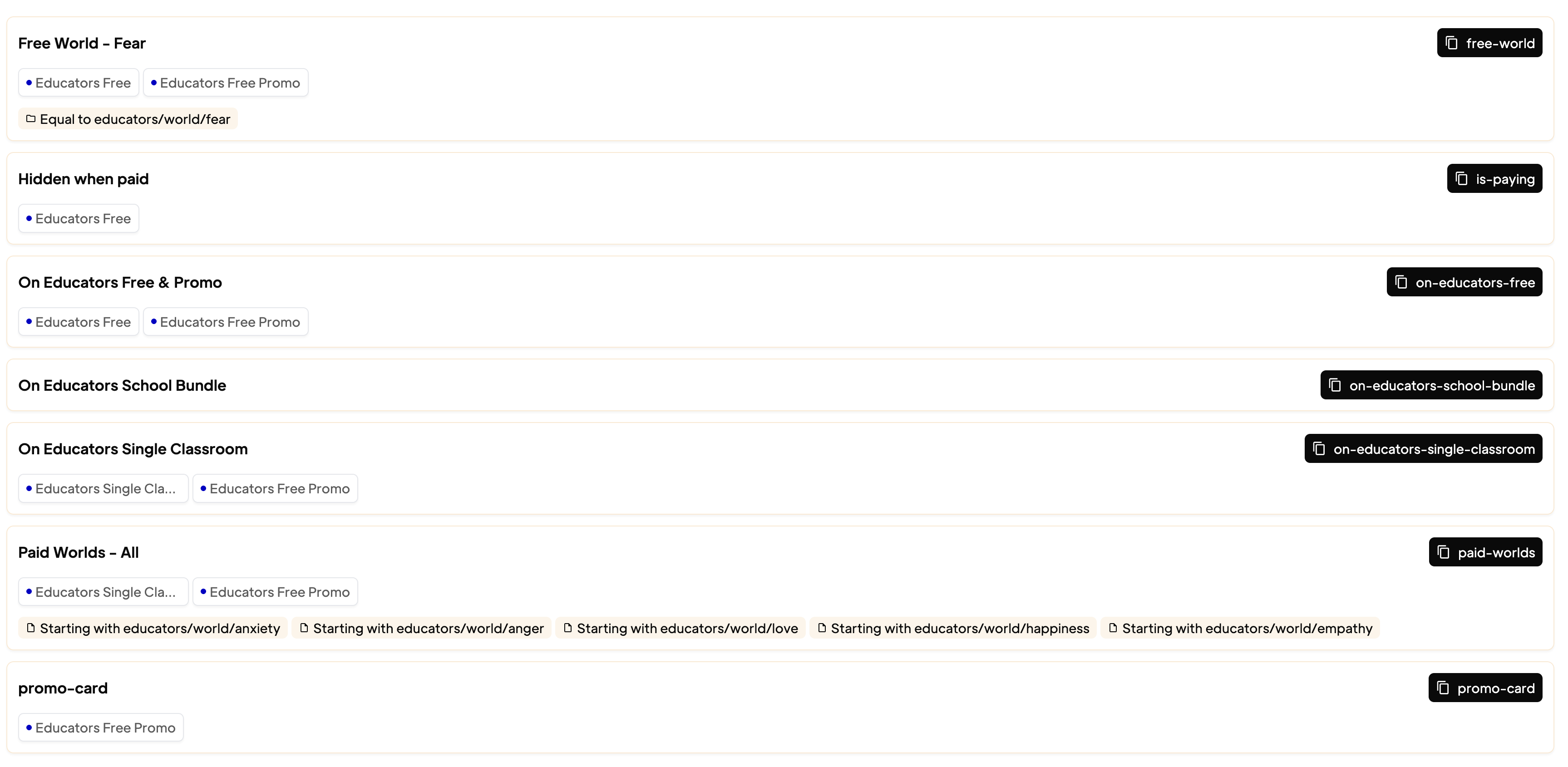
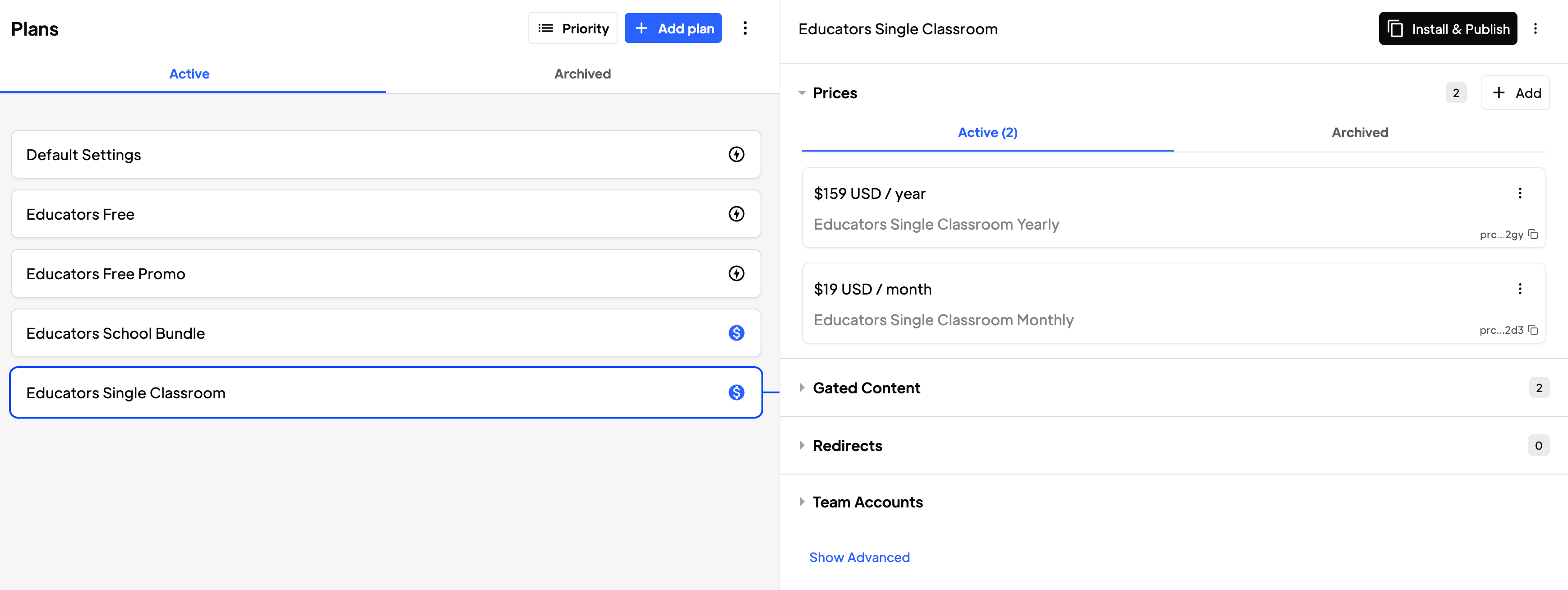
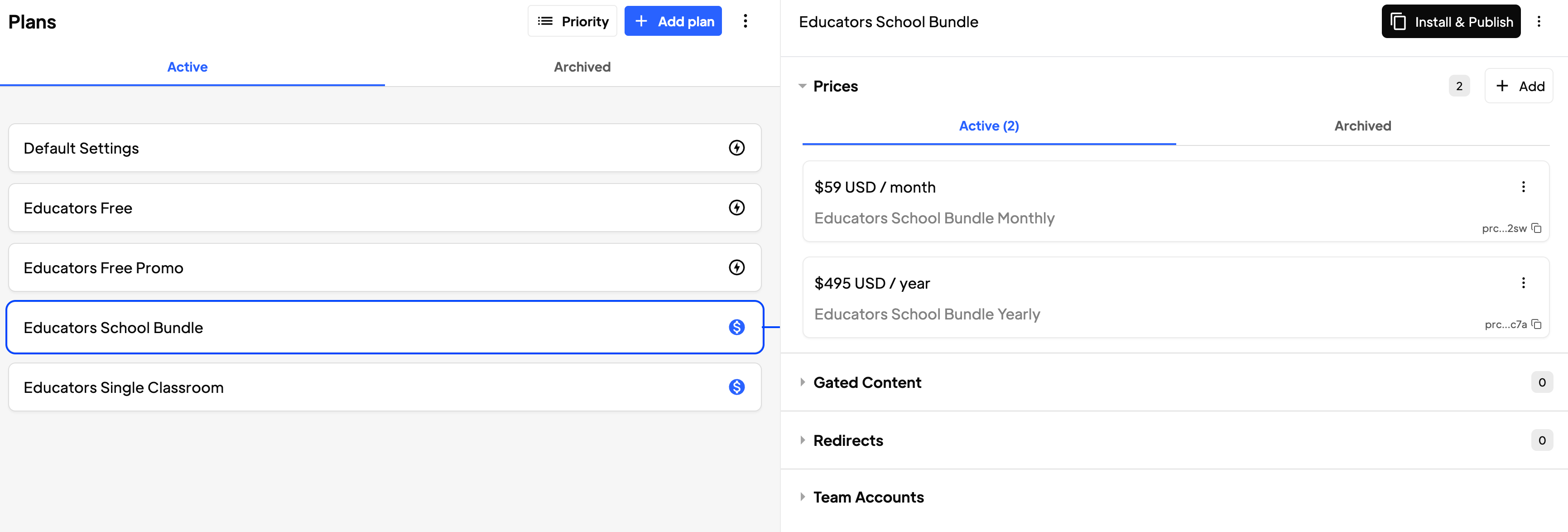
I have 4 plans:
- Free
- Free Promo (which has access to everything)
- Paid Single Classroom
- Paid School Bundle - both paid have prices for monthly and yearly
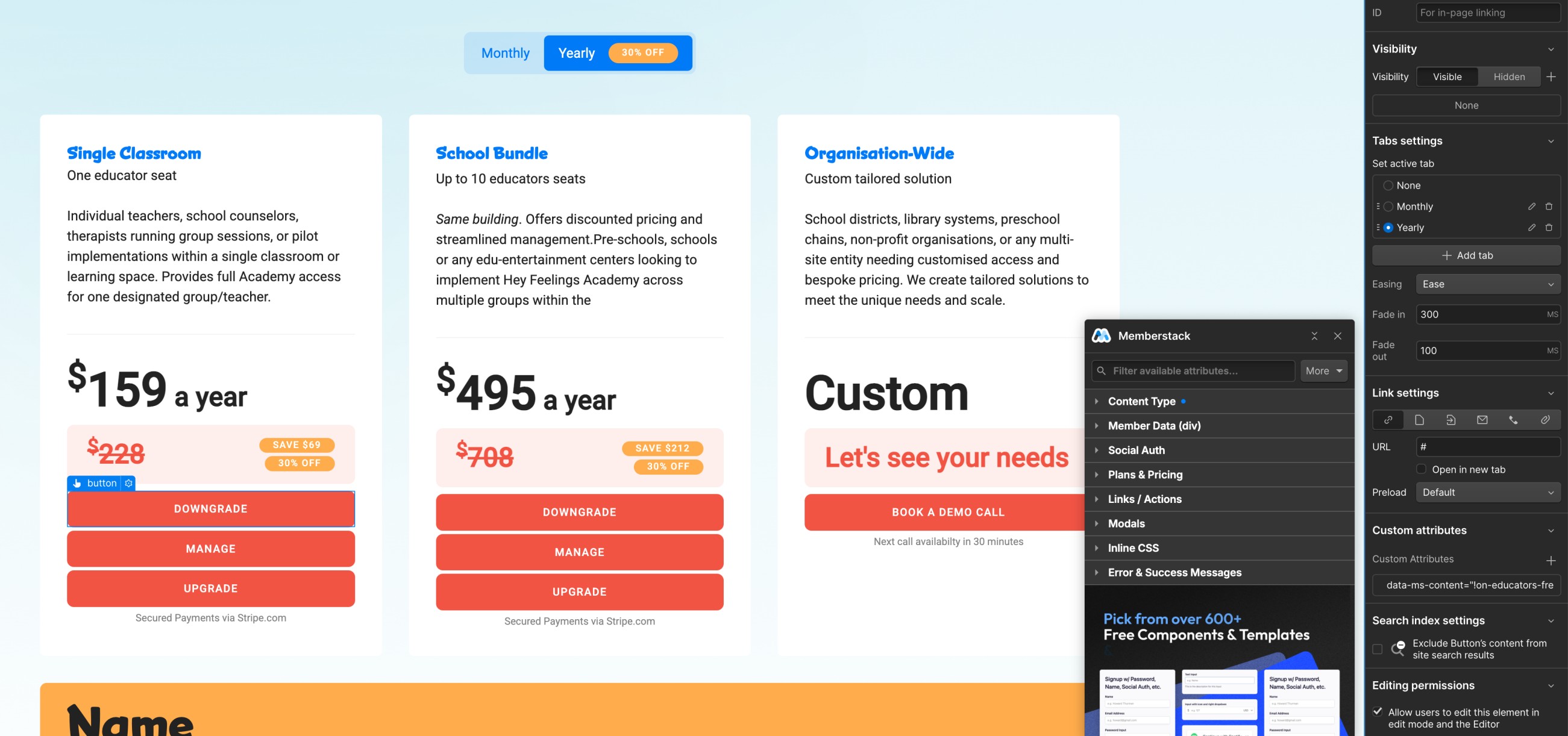
What I’m trying to do is to show relevant button depending on plan you have, either upgrade, downgrade or manage. I’ve tried with Gated Content but it’s impossible or I have no clue how to set up the logic behind gated content and plans…
Please advise 🙂
7 comments
The script #187 is a perfect fit for your situation because it automatically highlights the member’s active plan directly in the pricing table. Instead of relying on gated content logic (which can get complicated with multiple plans and variants), this script gives clear visual indicators like “Current Plan” so users instantly know where they stand.
That way, you can keep the upgrade, downgrade, and manage buttons consistent across all plans, while the script ensures the right plan is marked for each member. It simplifies the setup, reduces confusion, and makes the pricing table much more intuitive for your members.
Hi there!
You can only apply one gated content setting per element in Memberstack. To show different content to logged-in and logged-out users, you’ll first need to wrap each section in its own container.
data-ms-content="!members"data-ms-content="members"Example:
Then, when you want to show content to members based on their specific plan, you will add the gated content id to each element inside the logged in members wrapper
For example:
Here’s how you can do that:
You can now mix and match different content blocks based on membership status and plan. If you want to be more specific you can create more gated content plans to group different plans and apply their id to its data-ms-content attribute
thanks Raquel Lopez but I think this is more complex. My brain almost evaporated when I was trying to describe it…
I’m working on setting up a dynamic pricing page in Webflow and need some guidance on the best approach without using custom JavaScript, relying solely on Memberstack attributes and gated content logic if possible.
The Goal:
On our pricing page, we have two main plans (“Single Classroom” and “School Bundle”), each with a Monthly and Yearly option. We use a toggle in Webflow to switch between displaying the Monthly and Yearly pricing cards.
For each displayed pricing card, I want to show the relevant action buttons based on the currently logged-in member’s active plan:
data-ms-action="profile").data-ms-price:update.data-ms-price:update.data-ms-price:add.Is this even possible?
Extra question: How does Memberstack/Stripe handles upgrades in the middle of the month or upgrading from one plan to another eg monthly to yearly?
oh and I was trying Gemini 2.5 and some custom scripting but I was getting
ERROR: Memberstack ($memberstack.onReady) not found after 5000ms...I’m wasted
Hey Sebastian Kacperski, for your requirements 1-3, you could make use of custom code, since as of now, there are no direct attributes that could help out in price level based customization.
I found this code by Chukwudi somewhere which could act as a base code for you where you can update your price IDs and plan IDs and try showing the relevant buttons on the pricing page for logged in users.
Make sure you replace the price, plan and button IDs accordingly in the code and customize it for your project.
And as far as 4th requirement is concerned for Signup / Choose plan buttons, you could just add the custom attribute
data-ms-content="!members"to such buttons as stated by Raquel above and such buttons will only be shown for logged out visitors.Make sure you wrap the other buttons or the div component with the attribute
data-ms-content="members"just in case to ensure it only loads for logged in members and you can apply the custom code logic to then decide what should be visible based on the logged in user's plan. Hope this helps.If your scenario is complex, it will most likely require some custom code to handle everything properly. Memberstack data attributes generally cover the most common membership flows. For specifics you'll have to dirty your hands with code.
That said, I still believe the solution I shared earlier could work for your situation. It doesn't add any custom code but it just might feel a bit cumbersome because you'd need to create multiple gated content blocks tailored to each plan or condition.
My recommendation: Instead of creating separate buttons (e.g. one for upgrade, another for downgrade), you can simplify your logic by using a single button that takes users to a unified subscription management page. From there, they can choose to upgrade, downgrade. It's the most common approach for pricing tables, you can get some examples in Memberstack components library.
This way:
If you still want to try custom code yourself, I will recommend use Rey, Memberstack AI bot. The answers are better when using Memberstack library. Other AIs don't have much context. Also for a risk free and maintainable solution you can always hire one of the Memberstack experts.
Thanks everyone! I’ve managed to solve it with custom code and A J your code actually unblocked me to work with AI on what I need.
I’ll sum up this later today but as for now I’m struggling with a simple (hopefully) setup on the Stripe Billing Poratl.
Why I don’t see all my plans? I have 4:
Yet when I:
My ideal scenario is when someone want to downgrade / upgrade we are launching the purchase flow not the billing portal. If someone once to manage their subscription they open Billing portal (this works actually).
Second ideal scenario is that when someone want to downgrade / upgrade he is taken to Biling portal and see all the options.
Thanks everyone, you’re awesome.
https://memberstack.slack.com/files/U02VA9M30H4/F08MJ544WR5/upgrade-pwofsmgo.mp4
I see.
It's possible because you are subscribed to a monthly fee, you only get to see monthly plans, except when you click upgrade to a yearly plan, that you see your current monthly plan, and the yearly plan you selected when clicking upgrade.
If you're open to custom code now, you can control what plans are shown in the customer billing portal when you click a button.You can use this method
It should open the customer billing portal with all the plans (by adding all your current price ids from your store). Also you could modify the script to only show the specific plans that you want
Please sign in to leave a comment.