How can I make it so that the commenting section on the main page is only for admins? I see that it has an attribute, but it didn't work. I also tried gating it towards just a specific free plan I would give to my mods, but it's still showing up
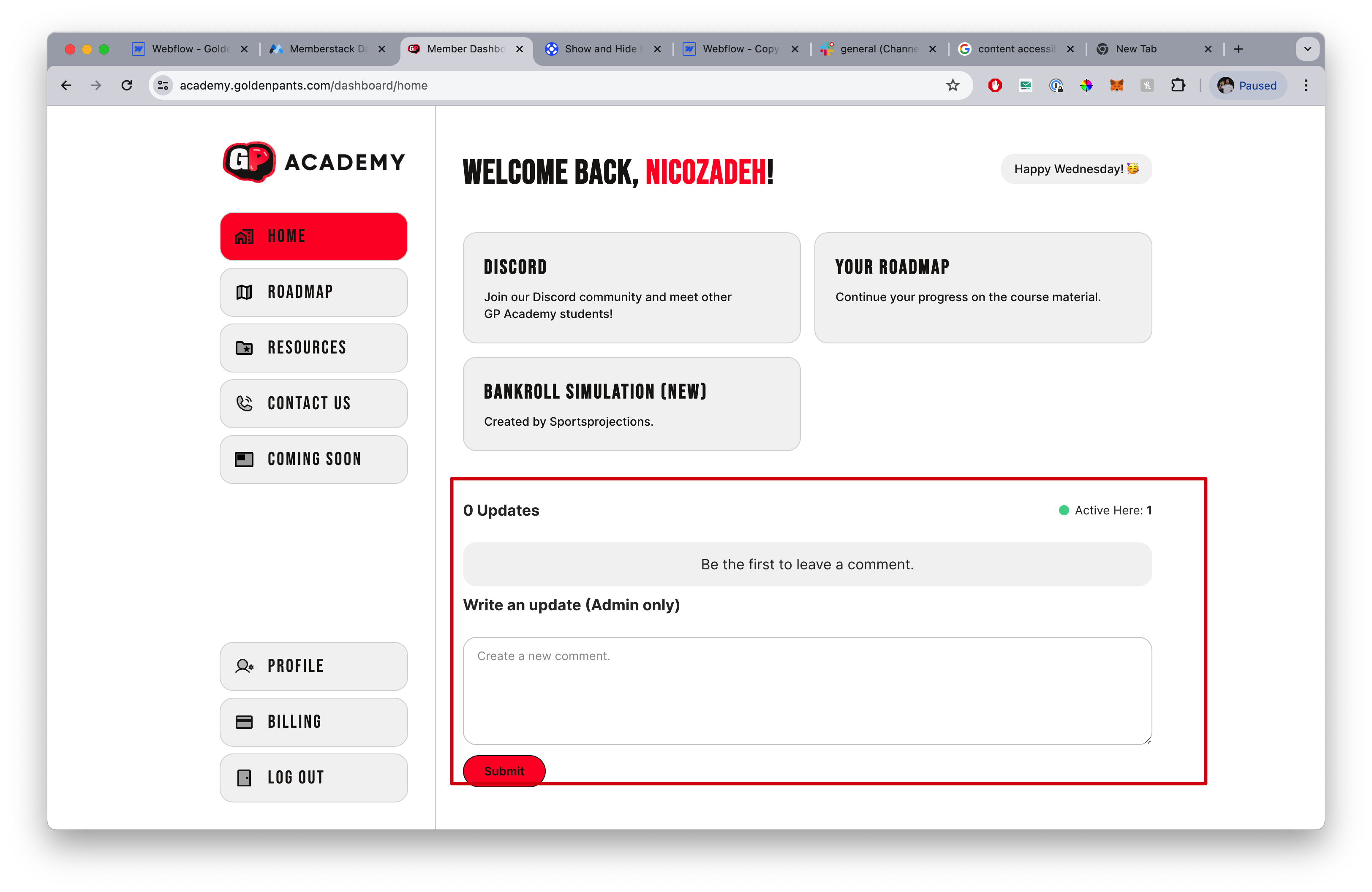

How can I make it so that the commenting section on the main page is only for admins? I see that it has an attribute, but it didn't work. I also tried gating it towards just a specific free plan I would give to my mods, but it's still showing up
6 comments
Hey Nicolai Amirzadeh, I was testing this feature and it seems adding data-ms-content="CONTENT_GROUP_ID", seems to hide the commenting option. The content_group_id being the gated content ID you have applied for admins only data. I did this to ensure comments can only be posted for a user who is in Plan B (shown in screenshots - view of non-plan b user and plan b user accordingly).
If you want to hide all comments you can enable this attribute for the whole commenting section.
In case you are still facing issue with this, can you share preview link of your website, so that we an troubleshoot this?
Hey A J! This worked perfectly, thank you!!
Do you have any idea how I can make this to work? I want one of the custom fields to populate here?
I managed to get it work for a second, but then I refreshed and it went back
Hey Nicolai Amirzadeh, in the custom attribute for role, instead of data-ms-member can you place data-ms-post-creator and keep the value as "role" just as it is. This should populate the role accurately.
And also just as a side note, make sure to set the custom field Role's visibility as "Public" under "Advanced/Commenting" section if not done already.
You're a legend mate, worked immediately 🫠
I was wondering if you knew how I could hide the badge if the user doesn't have any roles?
I just found the tutorial I tried doing it, but it didn't work.I added the code + attribute, but nothing. I also tried removing the text, but then just a blue box stays there.
Here's the code in body:
But an even simpler way would be to have no text in the "Role" field on front-end, so only if memberstack has a custom field it will be visible and if not the text element will be blank.
In my case I don't have any styling applied so removing the text also works.
Hey Nicolai Amirzadeh, would you be open to changing the color of the text and applying some styling which does not show up when the role is kept empty?
The issue here is the script works for the logged in member and not the commenter. And since the comments take time to load, it is also getting difficult to target them via custom code and delayed targeting is not reliable as well. I have tried various methods but its not that accurate. So until we get a solution via which this is handled automatically, you can opt to customize the design and you can show the difference via text color change / underline etc and keep the Role text block empty
That's the smartest solution A J! Old me would have said no since it doesn't look as alethic good - but I know our members won't notice the difference 😅
Please sign in to leave a comment.