
Cant make automaticially file_compress to work.
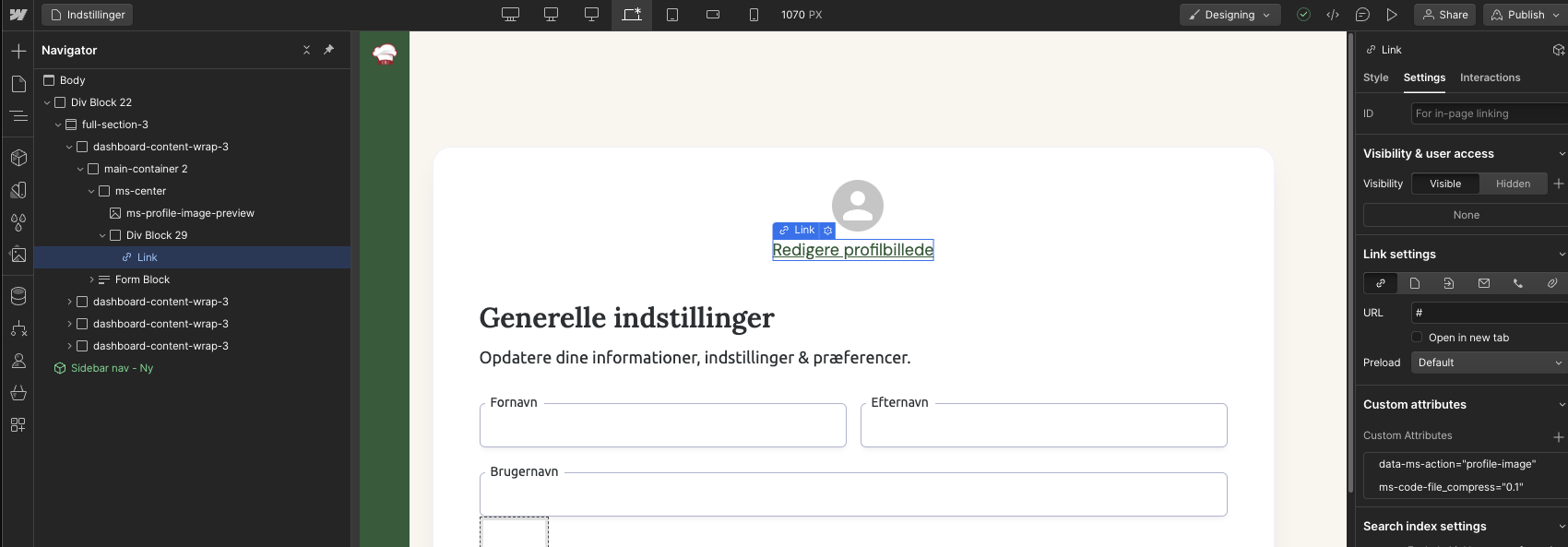
For our profile image link, we had data-ms-action=''profile-image'' and just added ms-code-file_compress=''0.1'' (for testing purpose).
And a modifed script adapted to profile images. Tried to upload a 2.3mb image with a 0.1 compressing settings and still got the ''max 1mb limit message''.
<script src="https://cdnjs.cloudflare.com/ajax/libs/compressorjs/1.2.1/compressor.min.js" integrity="sha512-MgYeYFj8R3S6rvZHiJ1xA9cM/VDGcT4eRRFQwGA7qDP7NHbnWKNmAm28z0LVjOuUqjD0T9JxpDMdVqsZOSHaSA==" crossorigin="anonymous" referrerpolicy="no-referrer"></script><script>document.addEventListener('DOMContentLoaded', function () {const compressibleInputs = document.querySelectorAll('input[type="file"][ms-code-file_compress]');compressibleInputs.forEach(fileInput => {let isCompressing = false;fileInput.addEventListener('change', function (event) {if (isCompressing) {isCompressing = false;return;}if (fileInput.files.length === 0) {return;}const originalFile = fileInput.files[0];const compressionLevel = parseFloat(fileInput.getAttribute('profile-picture'));new Compressor(originalFile, {quality: compressionLevel,maxWidth: 2000,maxHeight: 2000,success(compressedResult) {const compressedFile = new File([compressedResult], originalFile.name, {type: compressedResult.type,lastModified: Date.now(),});const dataTransfer = new DataTransfer();dataTransfer.items.add(compressedFile);fileInput.files = dataTransfer.files;isCompressing = true;fileInput.dispatchEvent(new Event('change', { bubbles: true }));},error(err) {console.error('Compression Error: ', err.message);},});event.stopPropagation();}, true);});});</script>
1 comment
Hi, the code is not correctly adapted.
Basically you're not taking the correct value to compress the image
const compressionLevel = parseFloat(fileInput.getAttribute('profile-picture')); // it's probably not returning a numberThis variable value should be a float number, but it's taking the attribute "profile-image" from the input. I don't see how the input is built but probably, if you followed the tutorial you are using ms-code-file_compress property to mark the which level you want the image to compress.
I think the solution would be to replace the above code line to this
const compressionLevel = parseFloat(fileInput.getAttribute('ms-code-file_compress'));If you still find any issues open up the console from the devtools, there's probably a warning showing when you try to execute the code
Please sign in to leave a comment.