Bought my paid plan yesterday so I'm finally part of the MS family 🫡
Does anyone know how Relume built this? I understand the logic of a collection lists + jetboost/finsweet filters but how does it appear the moment you start typing?
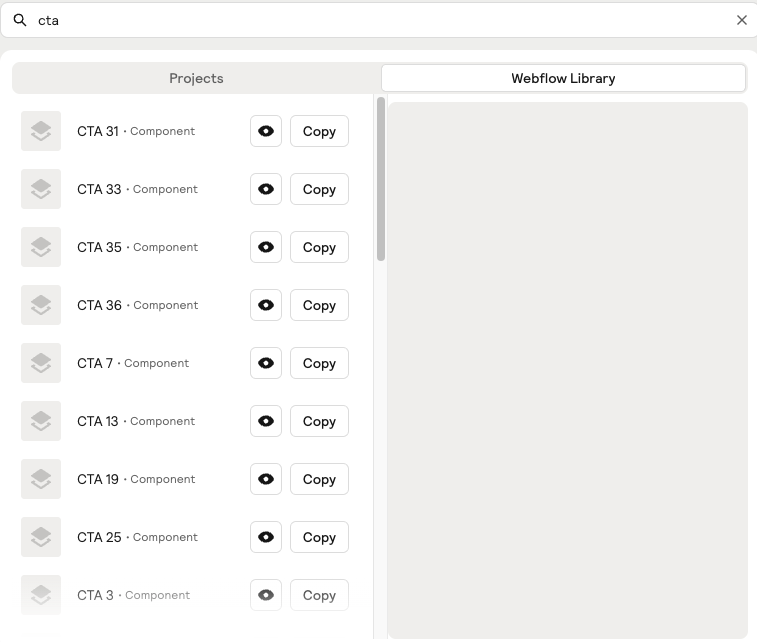
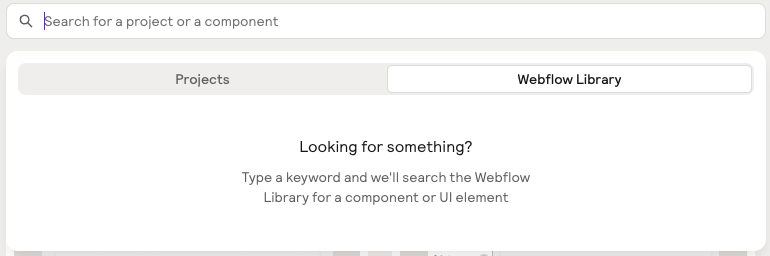

Bought my paid plan yesterday so I'm finally part of the MS family 🫡
Does anyone know how Relume built this? I understand the logic of a collection lists + jetboost/finsweet filters but how does it appear the moment you start typing?
8 comments
you use a custom code to show the element when there's a focus on the input field, and hide back when input is empty.
Here's a sample code
document.addEventListener('DOMContentLoaded', function () {var inputField = document.getElementById('inputField');
var divToShow = document.getElementById('divToShow'); inputField.addEventListener('input', function() {
if (inputField.value.trim() !== '') {
// Show the div
divToShow.style.display = 'block';
} else {
// Hide the div
divToShow.style.display = 'none';
}
});
});
Thanks so much! I'll try it out 😀
Manuel Ogomigo i made it work and this is such an exciting feeling haha thanks for this!!
Thanks, Manuel! 🥳
And I totally know what you mean Jeroen Kwaad. Getting code to work feels like
Does anyone know how Relume uses Memberstack to create a free and gated item in the same collection list?
Yeah set a field in your cms.
plan = !members
members
or any of your content id
and connect it to the element that will trigger the copy functionality.
now users, or pro users can access that particular component
but this one isnt:
https://www.relume.io/components/application-shell-2
Yeah it's the same process.
in that cms, target a div, and add data-ms-content="CMS connection"
Your CMS connection could be your content-id or just members
that way it's dynamic based on the cms item
Got it, thank you so much!
Please sign in to leave a comment.