
Hey everyone,
I’ve integrated the new comment feature into the musician community/website I’ve created.
This new feature is fantastic, and the users love using it. Thanks a lot!
I have only 2 questions about it, and I don’t know how to improve the UX for my users.
- Is it possible to email a member when another member replies to his or her comment?
- Can I create a member profile page that the members can reach by clicking on the member’s name in the comments?
Thanks a lot for your help
11 comments
Glad to hear! 🎉
Gautier Roquancourt Tyler is correct - it should be possible... however it's not going to be easy. How important is this feature to you?A And do you already have a system for creating/updating public member profiles? If not, I recommend starting with that.
Tyler is exactly right! Possible, but a few moving pieces. I may make this soon 🙂
Thanks Tyler for the answer. I’m looking forward to seeing the new update.
Thanks for the Info. I will use this tutorial to create the first version of the profile page.
My goal is soon to create a detailed profile page for each musician with the link to their music platform, bio, message button, and their setup to compose (instruments, plugins…).
Thanks again for creating your product. For a solo entrepreneur it’s is a dream to be able to create a platform so easily. ✨
Does anyone know what the best way to link profiles to memberstack commenting is? What I mean by this is... is it possible to click a user's name on their comment and be directed to the user's profile? I thought there may be an attribute for this, but I don't think there is!
It's hard to make a native feature since profiles themselves are different depending on who set them up - as for making this work, do you have the slug of their profile saved as a custom field?
I've got a slug, username, member id, and cms id attached to each profile. I've got something working now, but it is not the best way to do it... listener just appends the slug to my website link. This is dicey because it needs to be constantly running in case there are unloaded comments... is there another way?
You can add a mutation observer to it and have it re-run the script when the dom changed - this would make it work when new comments are loaded too.
Hey, team, I have the same request; I'd love to get an email notification when someone adds a comment. I'm always missing the comments as I'm not checking every day for new comments. Is there any way I can add email notification for myself yet, or is it still in the doing? Thanks so much; otherwise, it's a super great feature.
Simon Späti are you missing comments as a members or as an admin? If as an admin, then you can enable comment emails here. https://docs.memberstack.com/hc/en-us/articles/24847986623899-Comment-Notifications-for-Admins
Thanks for the reply. That looks like what I want, and actually while checking I saw this is already activated.
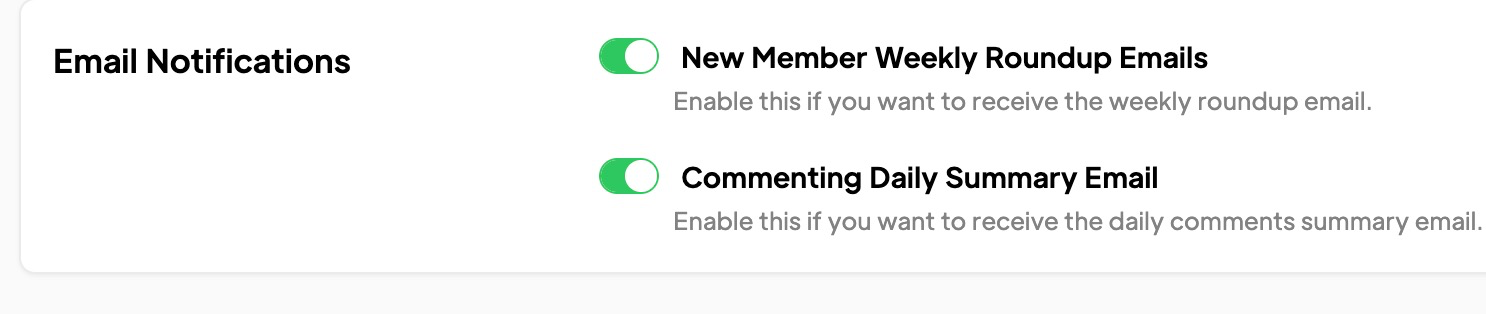
I checked now all my emails, and I found that I had screened out "support@memberstack.com" which they were sent from. And now I see them. Thanks so much for the help.
Please sign in to leave a comment.