
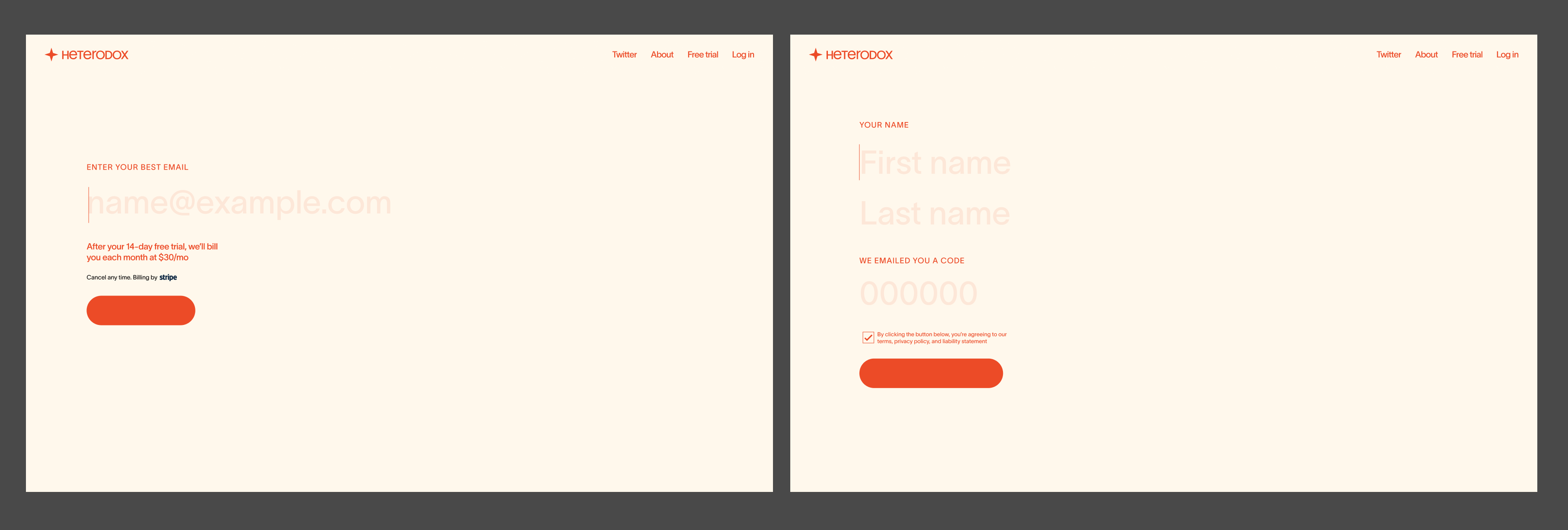
hey guys, I’m using the new passwordless login for a project (see attached), and am wondering if I can combine 2 custom field inputs on the same screen as the 6-digit verification input. If i understand right, the user only shows up in the database once they’ve input the correct 6-digit code; is that the case? What might be preventing me from making this work, and what might the solution be?
5 comments
Out of curiosity I just tested this and:
oh interesting. cool, thank you!
Hi Eric Button It’s not possible to spread these forms across 2 pages. However, you could layout the page in such a way that it would “look” like it happens on 2 different pages.
i.e. You could absolutely position the 2nd step on top of the first.
Thanks Duncan from Memberstack is there a way to control the visibility of ms-passwordless-step 2 ourselves (and not by the memberstack hard-code?)
(This is pre-coffee and from memory) but based on the test I did above you could put the first and last name fields inside of the passwordless code wrapper. That way, when they click the button on step one, all the fields on your step 2 including the token code field are displayed. You’ll just need to hide the step 1 element with some jQuery when the first button is clicked.
Remember, the form isn’t submitted and a MS user isn’t created until they click that last submit button, so you actually have quite a lot of control over the onboarding process (nicely done Memberstack 🙌
If you need the jQuery, I write that for myself yesterday and can share 😌
Please sign in to leave a comment.