
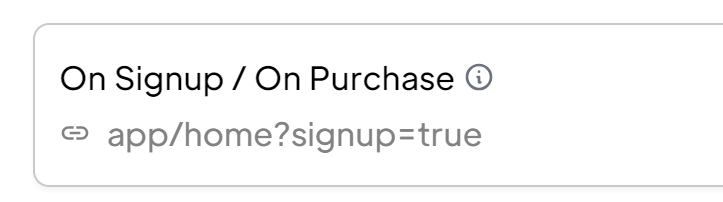
Hi all, I used to work with ?signup=true added to my signup redirect. This used to work even after a user clicked the button from the verification email. Suddenly this stopped working. Did you guys change something on this item? I got some logic that triggers when this URL parameter is present.
13 comments
does it remove the parameter completely or does the parameter stay, it just doesnt do anything?
no the parameter is not present anymore
It's removed for some reason
it used to stay there when I clicked the button in my verfication email
webflow read only https://mamamoon-app.webflow.io/free-trial-sign-up
It seems like it is getting removed on the email level, or at least when it is clicked - I'm not sure why. I'm not sure if there will be an official product team reply today as it's a US holiday, but I do know a fix that should work.
<script> window.onload = function() { window.location.href = "/app/home?signup=true"; }; </script>right, will try that. Thanks
no problem! We will see what the issue with that is tomorrow I'm sure.
Tyler Bell do you know why the param is getting removed?
Not sure why it would get removed after signup.
However after a purchase / checkout it would be removed. We redirect the member to the signup / purchase redirect with other query params. When memberstack inits, it removes the query params as they are long and ugly in the URL browser. Your signup=true param is most likely getting cleared as well when MS wipes it’s own params from the URL.
If it helps - there’s no checkout event here 🤔 And I was able to replicate in another project that’s using email verification
✅ I tested without email verification and the link params worked.
❌ Then tested again with email verification and it removed the link params. ?welcome=free-member
ah yeah email verification works the same way. We return query params and MS clears them.
But it used to work fine
Up untill this week or so
I now removed one step from the signup flow so its no big deal anymore
Just thought it was a bit strange
These link blocks I have sign up users for a plan, and also links them to a page. However, clicking the link takes them to the home page instead of the link. I checked the redirects in the Memberstack app and everything looks fine there. What's happening? 🤔
https://cu.cast.org/sign-up/welcome
Thanks for the video. Could you remove the teacher data attribute (data-ms-plan:add="pln_teacher-o82f07cx") you have on the three buttons (Strategies, Tools and Circle Up Time), and add it to the teacher icon only in the screenshot attached? It's a better approach in your case and it should fix the issue for you since the three buttons all point to the same teacher plan.
Your Memberstack setup for the student plan is fine but users who sign up as students aren't redirected because the signup is not associated with any plan. You'd have to add the data-ms-plan:add="pln_student-ic2g073h" attribute to the signup for it to work.
Great -- thank you so much! 😄
Please sign in to leave a comment.