
Hey everyone,
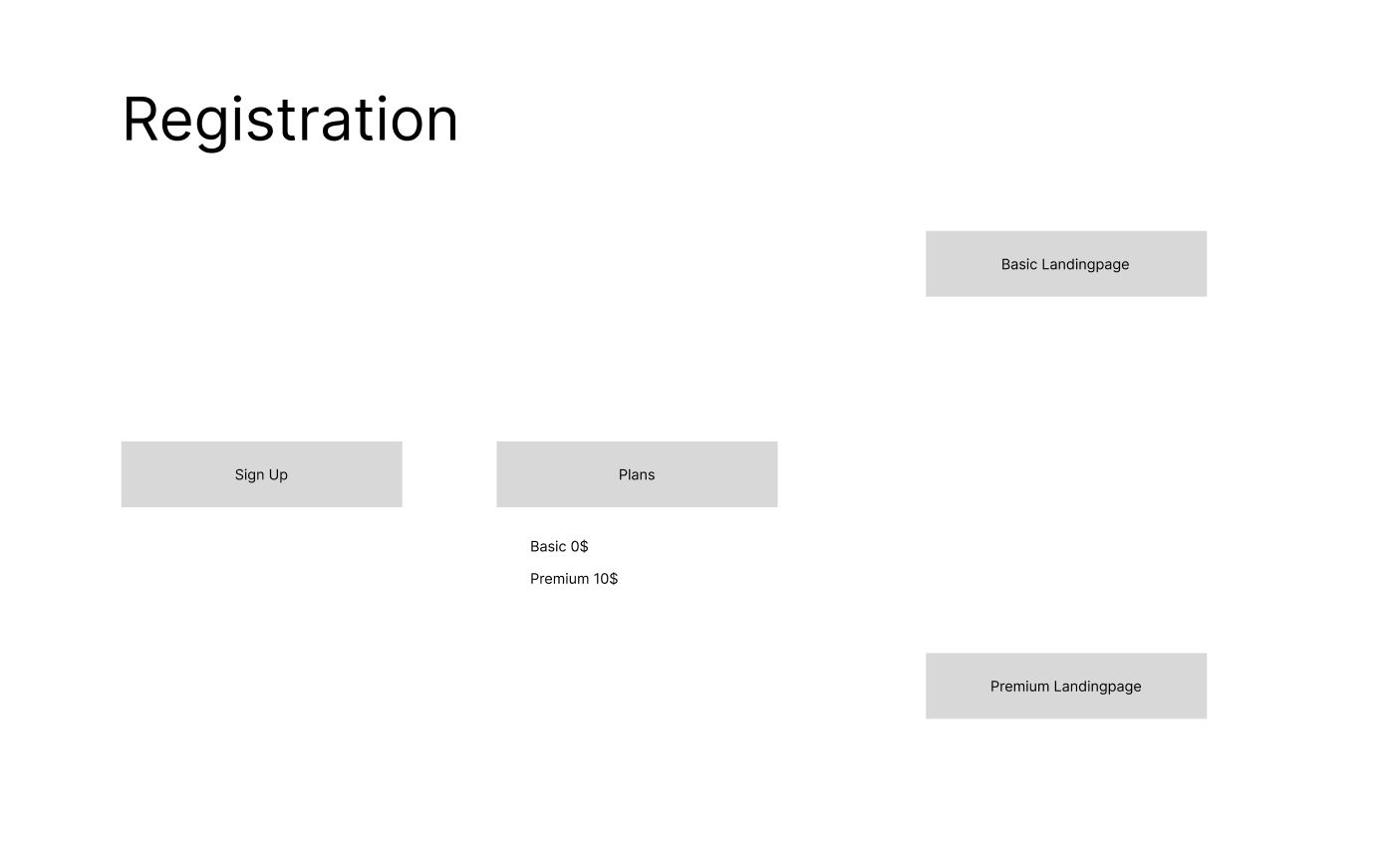
I need help with my log in process. I want my users to register and then select a plan. Either the Basic or the Premium plan. Based on which plan the user has chosen, they should be redirected to the appropriate page. Is this possible? Or do I have to do it differently.
Attached is a graphic of how I imagine it.
3 comments
Hi Gernot,
Your flow is totally possible with Memberstack 🙂
You might as well want to shorten the flow by just having a pricing table with signup buttons for the basic and Premium respectively which lead the users to the respective landing pages. It's all up to you.
You may want to check out the links below for more info.
https://docs.memberstack.com/hc/en-us/articles/7384849448091-Getting-Started-with-Plans-Prices
https://docs.memberstack.com/hc/en-us/articles/7406222866459
Hi everyone.
I'm facing a problem. I have two plans
On login, I want to redirect to different pages on the base of the plan.
If a user has a standard plan he redirects to "/standard"
If a user has an Advanced plan he redirects to "/advanced "
Without a plan, the user can't access the pages "/standard" and "/advanced "
I also want to add restrictions the standard plan users can't access the Advanced plan page.
Thank you
Hey Ramzan Ali
This is a fairly straightforward use case and there are plenty of videos on youtube with the solution.
My guess is you've researched those and still aren't sure how to set up this functionality.
Here's what you're missing:
To paraphrase, you need to:
Use the screenshots as guides where to look to set up the gating and redirects as well as where you can find the installation attributes for the link leading to /standard on the Advanced plan
Let me know if that helps 🙌
Please sign in to leave a comment.