
Hey everyone! I'm wanting to start using memberstack, but I can't for the life of me find what currency the pricing is in
- On the website it says all the prices, but doesn't mention if that's in USD or what. I'm in Australia, so I'm not sure if it's automatically translated to AUD, but I doubt it, so if anyone knows - please let me know!
- Can I use permission to control whether people can view certain pages or not? I don't just want to set it so people in a specific group of people can see it, but rather specific users. For context, I'm building a website for a B2B business that sells school lesson plans to schools and hosts the lesson plans on the website kind of like how skillshare or udemy etc. hosts their courses.
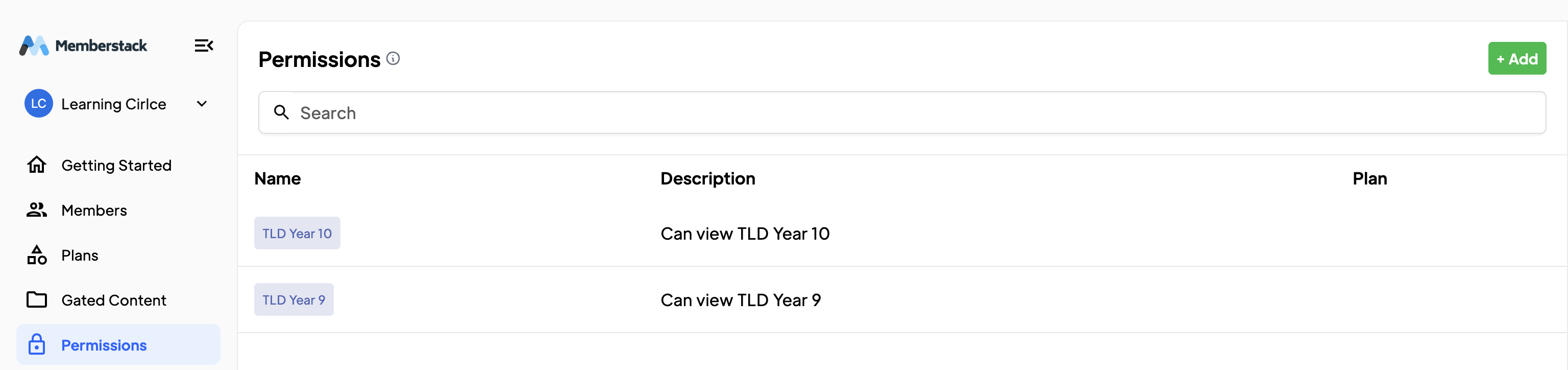
- The reason I can't just set it for a specific group of people is because it stops people from mixing and matching what lesson plans they want. I can't just have a group for people who have access to lesson plan x, a group for lesson y, and a group for lesson x and y together, because that would get super clunky and hard to manage. Not to mention it allows for a loophole where if someone buys a yearly plan for lesson y and then 6 months in buys lesson x as well, the website will assign them to the group that has access to both lesson plans and the yearly access for both of them will renew, giving them 6 months of that first one free.
Does this make sense? I feel like these are somewhat unique problems that I'm really struggling to find a solution for
8 comments
It's USD, you can also build in test mode (webflow subdomain) for free until you launch it on main domain
https://www.memberstack.com/pricing
Thanks! Dave Rajan
Hey Wes!
Are you using Memberstack with Webflow?
Permissions are typically only used by more advanced developers, I would suggest Gated Content to do what you're after! 🙂
This is similar to my situation. I have about 60 items I’d like people to be able to mix and match. At the moment I’m running it as a all-you-can-eat subscription, but selling individually would be the way forward.
I’m assuming my solution would be to create a separate “plan” in MS for each and every lesson plan. You’ll probably use one time payments (rather than a subscription), and you can set them to expire after X months if you need them to be time limited.
The small but annoying problem with this is that MS doesn’t currently have a “cart”, so users can’t purchase lesson X, lesson Y and lesson Z at the same time. They need to purchase them one by one. Users CAN have multiple “plans” though, assuming you’re using MS 2.0.
If you decide to put a time limit on the the one-time purchases, also be aware that there is currently no baked in way for either admin or the user to see when this will expire. (Except by calculating from purchase date.)
An easy way around is to make it so access to the products doesn’t ever expire, but that might not be your business model.
Al Mazlin Julian Galluzzo Thanks so much! So helpful you have no idea
Hey yall! Quick quesh: Invited team admins, what sort of permissions do they have? Pages can they see inside Memberstack? And can they add other team admins?
Hey Nikol' Moira, I believe admins have good scope of permissions to help you out in the build, set things up from content management and they can access all tabs inside Memberstack like dev tools and can also add other team admins.
However, owner of the app has more power than an admin, as an admin cannot transfer ownership of the app to anyone or make changes to your billing settings.
Hope this helps.
That does, thank you!
Please sign in to leave a comment.