
Hello everyone, hope you are all doing well!
Currently, we have a custom pricing table on our website with 3 different plans. We would like to know how can we add checkboxes to the checkout page to accept the payments. Also, is there any way to custom design the checkout page? I have added the screenshot below :)
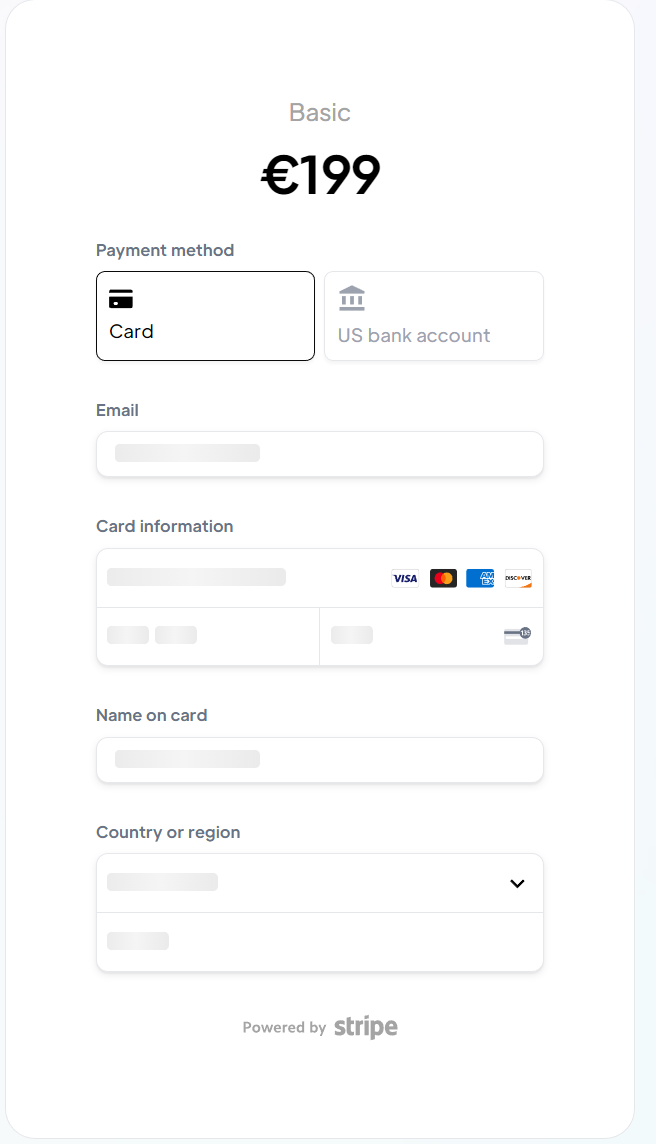
5 comments
Hey Shaun!
The checkout page is handled through stripe, so this would all be handled in the stripe dashboard!
As for customization, your options are everything offered by stripe
Hi there, thanks for your reply.
Could you please tell me how can I customize it? Do I find an option for that on the stripe dashboard? 🙂
https://stripe.com/docs/payments/checkout/customization
Without using code, most of your options are limited to branding!
Does anyone know how to do a custom checkout with Webflow? I have this problem that now people are redirected from our website to stripe to pay for subscription, but I would like to make a custom checkout inside the platform, so people could make stripe payments without leaving the web app
No, this isn’t possible due to PCI compliance. Stripe handles all payment information directly, meaning your website never has access to credit card details. Only Stripe does. After processing the transaction, Stripe notifies Memberstack whether it was successful so the process can continue.
Please sign in to leave a comment.