
Hello trust we all doing cool, I want to disconnect the stripe account associated with my memberstack account. i could not find a disconnect button on my memberstack dashboard (memberstack dashboard attached), so i did it from my stripe account and still my memberstack dashboard still says connected to stripe. please need help disconnecting the stripe account. thanks for reading looking forward to your response. Complement of the season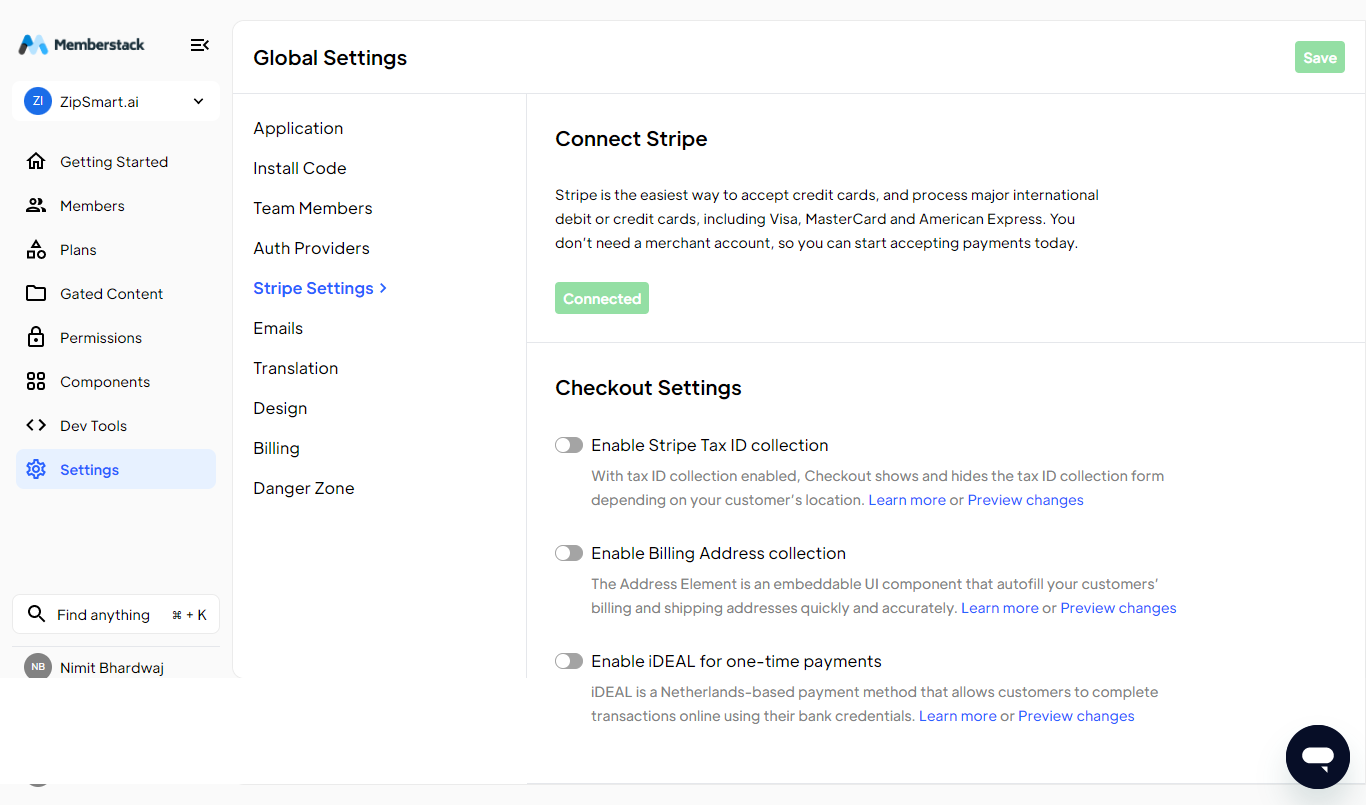
3 comments
Hey Nimit 👋 Our team is away for the holidays, but I'll make sure some one gets back to you by the end of next week.
If you have any paying members or created any paid plans/prices...
You will need to create a new App in Memberstack and connect your new Stripe account. If this is a major inconvenience, please contact the support team for more information to make the transition easier.
This is because Memberstack requires all paid plans to have a Stripe product in a connected Stripe account. Any products or members will break because they are in the stripe account that got disconnected.
Hey everyone, I need to connect new stripe account to my memberstack and remove the current one. I had a question will this integration remove all my previous settings I did for gated content and pricing?
Gated content won’t be affected.
However, MemberStack won’t let you disconnect a stripe account if you have any paid plans (aka plans with pricing options).
You’ll first need to delete those plans.
Please sign in to leave a comment.